
Please login to continue
Continue shopping sign in
pre order
Discount

pre order
Discount

pre order
Discount

pre order
Discount

pre order
Discount

pre order
Discount

pre order
Discount

pre order
Discount
pre order
Discount
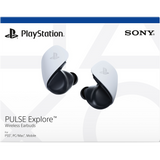
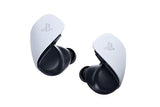
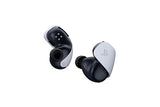
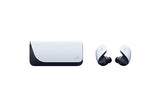
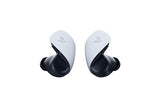
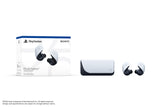
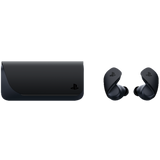

PlayStation Pulse Explore Wireless Earbuds - Shipping from End October* (Black)
Model: CFI-ZWE1G
$214.00
1
1. Prices indicated refer to Suggested Retail Price which includes GST and may change from time to time without prior notice and/or may vary for the same product with different colours.
* For orders placed before 2pm on Monday - Thursday excluding eve of public holidays. Next day delivery may not be applicable for products listed under Televisions and Home Cinema. Please expect a phone call after placing your order for arrangement of the date of delivery. For more information, please refer to our Online Shopping FAQ
*Services availability depends on region. A part or whole of software/services installed into or accessible through the product may be changed, discontinued, removed, suspended, or terminated without notice.
Special Add-On Offers: Purchase With Purchase
- Overview
- Promotions
- Delivery Information
-
Overview

Set up and use sidetone and 3D audio features on PS5
A tour of the headset appears when you first connect the Pulse Elite wireless headset or Pulse Explore wireless earbuds to your PS5 console via the included PlayStation Link USB adapter. Before diving into a game, I recommend personalizing 3D audio settings and adjusting sidetone volume (changing this adjusts how loudly you hear your own voice in your ear when you talk). It’s also possible to create a custom name for the headset, with standard letters, symbols, and even emoji.
After the tour, you can change settings at any time while the headset is connected by navigating to the Settings menu and selecting Accessories, followed by Pulse Elite wireless headset.
Both the Pulse Elite wireless headset and Pulse Explore wireless earbuds also support Mono Audio when connected to a PS5, which can be toggled within the Settings menu.

Access the Sound Quick Menu on PS5 with a one-button shortcut
For an even quicker way to access settings within a game, press the PlayStation Link button three times in quick succession to access the Sound Quick Menu. The PlayStation Link button can be found on the right side of Pulse Elite’s headband, or on the bottom of either Pulse Explore earbud. Within the Sound Quick Menu, you can make adjustments to features like Equalizer and Game Chat Balance (which adjusts the voice chat volume against the in-game volume).
For Pulse Elite wireless headset and Pulse Explore wireless earbuds, you can set up to three custom equalizer presets in addition to the Standard, Bass, and Shooter premade presets. Once it’s configured on the PS5 console, equalizer and sidetone settings carry over from the PS5 to all other devices including PlayStation Portal, Mac, and PC (via PlayStation Link), Bluetooth devices, and also devices connected to Pulse Elite’s 3.5mm audio jack.

Take advantage of all the microphone features
The Pulse Elite wireless headset has a retractable, adjustable boom mic that pulls out of the left side of the headset. Here, you’ll notice that we included the iconic PlayStation Shapes as a design detail on the mic – and it actually functions as a grippy surface for you to quickly pull the mic out. The mic mute can be controlled from either the DualSense controller’s mute button, or the mute button on the Pulse Elite headset. The LED located on the boom mic allows you to quickly check if you are currently muted as well.
The microphones on both the Pulse Elite wireless headset and Pulse Explore wireless earbuds feature AI Noise Rejection, which does a fantastic job of filtering out background noises. We’ve tested this with various activities like eating crunchy chips, vacuuming the room, turning up a loud fan, and opening up the window to loud outdoor traffic, and the player on the other end has always been able to hear us clearly and without background noise. Give it a try!

Connect and switch seamlessly between the PS5 console, PlayStation Portal remote player, and PC/Mac
Pulse Elite wireless headset and Pulse Explore wireless earbuds can switch seamlessly between your PS5 console, PlayStation Portal remote player, and PC/Mac using PlayStation Link wireless audio technology.
You can do this by simply pressing the PlayStation Link button for about one second (until you hear two distinct sounds) then releasing.
When you switch to the PS5 console with a PlayStation Link USB adapter, a “PS Link device found” notification pops up on screen, and pressing the PS button on the DualSense controller and selecting “Connect” on screen will then connect the audio.
When you switch to the PlayStation Portal remote player, pressing the PlayStation Link button on the device connects the audio.
When you switch to a PC/Mac that also has a Playstation Link USB adapter, pressing the PlayStation Link button on the USB adapter connects the audio.

Set up the included charging hanger for storage and display
Inside your Pulse Elite wireless headset box, you’ll also find a charging hanger for convenient storage in between gaming sessions. The hanger has a port to connect the included charging cable, and can be mounted* nearby on desks, tabletops, or on the wall.
Next Generation Gaming AudioEnjoy extraordinary lifelike sound in your favorite games.
Planar Magnetic Drivers
Studio-inspired drivers reproduce soundscapes with ultra-low distortion to deliver rich details and deep clear bass so you can hear exactly what the game developers intended.
PlayStation Link™ Technology
Enjoy a lossless and lightning-fast ultra-low latency wireless connection to your PS5® console, PC, Mac® and PlayStation Portal™ remote player.AI-enhanced Noise Rejection
Be heard loud and clear with microphone noise-rejection technology powered by artificial intelligence.
Multi-Device ConnectivityGo where adventure takes you with the ability to wirelessly connect to a range of devices.
Bluetooth®
Go mobile by directly connecting your earbuds to a phone or tablet.Dual Device Connectivity
Listen to audio from a PlayStation Link™ and Bluetooth® device simultaneously to stay in play as you answer calls or enjoy music from a mobile device.Command and Control
Lead your squad to victory with crystal-clear voice capture and easy-access controls.
Integrated Microphones
Take calls and chat with teammates through two hidden mics.Intuitive Controls
Keep your head in the game with easy-access volume buttons.Built for Adventure
Enjoy lifelike sound wherever you go with a portable design and charging case.
Portable Form Factor
Go wherever play takes you with a lightweight, comfortable design packed full of cutting-edge features.Built-in Battery and Charging Case
Stay in play with up to 5 hours of battery life and up to an additional 10 hours via the included charging case.Multiple Earbud Tips
Choose between three extra pairs of included earbud tips to find the best fit for you.PlayStation Portal™ Remote Player Ready
Directly connect to the remote player with PlayStation Link™ technology to enjoy lifelike, lightning-fast audio wherever you have Wi-Fi* in your house.
Box Contents- PULSE Explore™ wireless earbuds
- PlayStation Link™ USB adapter
- Charging case
- 6 Earbud tips
- USB cable
- Printed materials
-
PromotionsSony Store Online Singapore
Deals & Promotions
Exclusive offers, rewards, and member benefits — all in one place.Sony Store Exclusive
Complimentary
LCD Protection,
On UsPurchase any eligible camera at Sony Stores or Sony Store Online. Bring your proof of purchase to Sony Store Wisma or Sony Store 313 within 30 days of delivery to redeem your complimentary LCD Screen Protection.
How: Simply present your Sony Store Online proof of purchase.When: Within the first 30 days from date of delivery.Shop Eligible ModelsEligible Models
Register & Redeem
My Sony Rewards — Register & Get
Register eligible Sony products and enjoy complimentary gifts and exclusive redemption rewards across TVs, Audio, Cameras, Lenses and more.
Learn MoreInstallment Payment Methods
PayLater by Grab
Apply these promo codes to enjoy exclusive savings. Valid till 31 Mar 2027.
$8 off min $250PAYLATERIT8$25 off min $700PAYLATERIT25$55 off min $1,400PAYLATERIT55$8 & $25 OFF applicable for PayLater by Grab transactions. $55 OFF applicable for 8 or 12-month installment options only.

SPayLater
Buy Now, Pay Later — 0% interest!
Choose SPayLater at checkout and enjoy:
$25 off $300 — New users$10 off $250 — Existing usersDiscount Programs 🎓
🎓Student Portal
Save up to an additional 25% OFF with exclusive student-only discounts. Calling all students — join now and level up your Sony gear.
Learn More 🏢
🏢Corporate Privilege Program
Enjoy up to 25% OFF as a corporate partner. Join the Corporate Privilege Program for exclusive discounts and priority benefits.
Join NowLoyalty Program💰 My Sony Rewards
Sign up today and receive a new member bonus instantly — stackable with all ongoing promotions across every Sony Store.
New Member Bonus: $5 voucherSign Up Now
All promotions are subject to availability and applicable terms & conditions.
Sony Store Online Exclusive promotions are valid for online purchases only. -
Delivery Information
How much does delivery cost?
Sony offers free deliveries for orders $100 and above. For orders below $100, a standard delivery charge of $2.90 will be applied during checkout.
What is the expected delivery lead time?
Products excluding those listed under Televisions and Home Cinema:
For orders below $100, your order will be delivered within 3 working days upon order placement of products.
For orders $100 and above, placed before 2pm on Monday - Thursday excluding eve of public holidays, delivery will be next day. Orders received on the weekend may take longer as some logistics partners do not support delivery on Sunday. Please refer to the following table for delivery estimates:
Time Of Order
Estimated Delivery Date
Example
Mon – Thu
Orders before 2pm
Receive it the next working day
Order on Monday 11am, receive on Tuesday
Mon – Thu
Orders after 2pm
Receive it the 3rd working day
Order on Monday 2pm, receive on Wednesday
Fri, Eve of PH
Orders before 2pm
Receive it the next working day
Order on Thursday 11am (eve of PH), receive it on Monday
Fri – Sun, Eve of PH
Orders after 2pm
Receive it on the 3rd working day
Order on Thursday 2pm (eve of PH), receive it on Tuesday
Same day delivery is only applicable for orders $100 and above during selected periods and/ or models*. Same day delivery is only applicable for orders made on Monday - Saturday, before 2pm. Please expect a phone call after placing your order for arrangement of the time of delivery.
*Same day delivery promotion period will be highlighted on homepage and/ or product page.Large products (products listed under Televisions and Home Cinema):
Next day delivery may not be applicable. Please expect a phone call after placing your order for arrangement of the date of delivery.
Some condominiums may have specific delivery time slots and/ or limit deliveries. Kindly check with your condominium management for the approved time slots for delivery. Please notify your condominium management once we have confirmed the delivery date and time.
Where do you ship to?
Shipping is only available within Singapore. Delivery will only be made to address located on the main Singapore island, with the exclusion of restricted zones. Delivery to Sentosa island will be subject to additional charges. Where Sony is unable to deliver, we will endeavour to notify you as soon as we become aware of the restriction.
For more information, please refer to our Online Shopping FAQ
- Overview
- Promotions
- Delivery Information
-
Overview
Set up and use sidetone and 3D audio features on PS5
A tour of the headset appears when you first connect the Pulse Elite wireless headset or Pulse Explore wireless earbuds to your PS5 console via the included PlayStation Link USB adapter. Before diving into a game, I recommend personalizing 3D audio settings and adjusting sidetone volume (changing this adjusts how loudly you hear your own voice in your ear when you talk). It’s also possible to create a custom name for the headset, with standard letters, symbols, and even emoji.
After the tour, you can change settings at any time while the headset is connected by navigating to the Settings menu and selecting Accessories, followed by Pulse Elite wireless headset.
Both the Pulse Elite wireless headset and Pulse Explore wireless earbuds also support Mono Audio when connected to a PS5, which can be toggled within the Settings menu.
Access the Sound Quick Menu on PS5 with a one-button shortcut
For an even quicker way to access settings within a game, press the PlayStation Link button three times in quick succession to access the Sound Quick Menu. The PlayStation Link button can be found on the right side of Pulse Elite’s headband, or on the bottom of either Pulse Explore earbud. Within the Sound Quick Menu, you can make adjustments to features like Equalizer and Game Chat Balance (which adjusts the voice chat volume against the in-game volume).
For Pulse Elite wireless headset and Pulse Explore wireless earbuds, you can set up to three custom equalizer presets in addition to the Standard, Bass, and Shooter premade presets. Once it’s configured on the PS5 console, equalizer and sidetone settings carry over from the PS5 to all other devices including PlayStation Portal, Mac, and PC (via PlayStation Link), Bluetooth devices, and also devices connected to Pulse Elite’s 3.5mm audio jack.
Take advantage of all the microphone features
The Pulse Elite wireless headset has a retractable, adjustable boom mic that pulls out of the left side of the headset. Here, you’ll notice that we included the iconic PlayStation Shapes as a design detail on the mic – and it actually functions as a grippy surface for you to quickly pull the mic out. The mic mute can be controlled from either the DualSense controller’s mute button, or the mute button on the Pulse Elite headset. The LED located on the boom mic allows you to quickly check if you are currently muted as well.
The microphones on both the Pulse Elite wireless headset and Pulse Explore wireless earbuds feature AI Noise Rejection, which does a fantastic job of filtering out background noises. We’ve tested this with various activities like eating crunchy chips, vacuuming the room, turning up a loud fan, and opening up the window to loud outdoor traffic, and the player on the other end has always been able to hear us clearly and without background noise. Give it a try!
Connect and switch seamlessly between the PS5 console, PlayStation Portal remote player, and PC/Mac
Pulse Elite wireless headset and Pulse Explore wireless earbuds can switch seamlessly between your PS5 console, PlayStation Portal remote player, and PC/Mac using PlayStation Link wireless audio technology.
You can do this by simply pressing the PlayStation Link button for about one second (until you hear two distinct sounds) then releasing.
When you switch to the PS5 console with a PlayStation Link USB adapter, a “PS Link device found” notification pops up on screen, and pressing the PS button on the DualSense controller and selecting “Connect” on screen will then connect the audio.
When you switch to the PlayStation Portal remote player, pressing the PlayStation Link button on the device connects the audio.
When you switch to a PC/Mac that also has a Playstation Link USB adapter, pressing the PlayStation Link button on the USB adapter connects the audio.
Set up the included charging hanger for storage and display
Inside your Pulse Elite wireless headset box, you’ll also find a charging hanger for convenient storage in between gaming sessions. The hanger has a port to connect the included charging cable, and can be mounted* nearby on desks, tabletops, or on the wall.
Next Generation Gaming AudioEnjoy extraordinary lifelike sound in your favorite games.
Planar Magnetic Drivers
Studio-inspired drivers reproduce soundscapes with ultra-low distortion to deliver rich details and deep clear bass so you can hear exactly what the game developers intended.
PlayStation Link™ Technology
Enjoy a lossless and lightning-fast ultra-low latency wireless connection to your PS5® console, PC, Mac® and PlayStation Portal™ remote player.AI-enhanced Noise Rejection
Be heard loud and clear with microphone noise-rejection technology powered by artificial intelligence.
Multi-Device ConnectivityGo where adventure takes you with the ability to wirelessly connect to a range of devices.
Bluetooth®
Go mobile by directly connecting your earbuds to a phone or tablet.Dual Device Connectivity
Listen to audio from a PlayStation Link™ and Bluetooth® device simultaneously to stay in play as you answer calls or enjoy music from a mobile device.Command and Control
Lead your squad to victory with crystal-clear voice capture and easy-access controls.
Integrated Microphones
Take calls and chat with teammates through two hidden mics.Intuitive Controls
Keep your head in the game with easy-access volume buttons.Built for Adventure
Enjoy lifelike sound wherever you go with a portable design and charging case.
Portable Form Factor
Go wherever play takes you with a lightweight, comfortable design packed full of cutting-edge features.Built-in Battery and Charging Case
Stay in play with up to 5 hours of battery life and up to an additional 10 hours via the included charging case.Multiple Earbud Tips
Choose between three extra pairs of included earbud tips to find the best fit for you.PlayStation Portal™ Remote Player Ready
Directly connect to the remote player with PlayStation Link™ technology to enjoy lifelike, lightning-fast audio wherever you have Wi-Fi* in your house.
Box Contents- PULSE Explore™ wireless earbuds
- PlayStation Link™ USB adapter
- Charging case
- 6 Earbud tips
- USB cable
- Printed materials
-
PromotionsSony Store Online Singapore
Deals & Promotions
Exclusive offers, rewards, and member benefits — all in one place.Sony Store ExclusiveComplimentary
LCD Protection,
On UsPurchase any eligible camera at Sony Stores or Sony Store Online. Bring your proof of purchase to Sony Store Wisma or Sony Store 313 within 30 days of delivery to redeem your complimentary LCD Screen Protection.
How: Simply present your Sony Store Online proof of purchase.When: Within the first 30 days from date of delivery.Shop Eligible ModelsEligible Models
Register & RedeemMy Sony Rewards — Register & Get
Register eligible Sony products and enjoy complimentary gifts and exclusive redemption rewards across TVs, Audio, Cameras, Lenses and more.
Learn MoreInstallment Payment MethodsPayLater by Grab
Apply these promo codes to enjoy exclusive savings. Valid till 31 Mar 2027.
$8 off min $250PAYLATERIT8$25 off min $700PAYLATERIT25$55 off min $1,400PAYLATERIT55$8 & $25 OFF applicable for PayLater by Grab transactions. $55 OFF applicable for 8 or 12-month installment options only.
SPayLater
Buy Now, Pay Later — 0% interest!
Choose SPayLater at checkout and enjoy:
$25 off $300 — New users$10 off $250 — Existing usersDiscount Programs🎓Student Portal
Save up to an additional 25% OFF with exclusive student-only discounts. Calling all students — join now and level up your Sony gear.
Learn More🏢Corporate Privilege Program
Enjoy up to 25% OFF as a corporate partner. Join the Corporate Privilege Program for exclusive discounts and priority benefits.
Join NowLoyalty Program💰 My Sony Rewards
Sign up today and receive a new member bonus instantly — stackable with all ongoing promotions across every Sony Store.
New Member Bonus: $5 voucherSign Up NowAll promotions are subject to availability and applicable terms & conditions.
Sony Store Online Exclusive promotions are valid for online purchases only. -
Delivery Information
How much does delivery cost?
Sony offers free deliveries for orders $100 and above. For orders below $100, a standard delivery charge of $2.90 will be applied during checkout.
What is the expected delivery lead time?
Products excluding those listed under Televisions and Home Cinema:
For orders below $100, your order will be delivered within 3 working days upon order placement of products.
For orders $100 and above, placed before 2pm on Monday - Thursday excluding eve of public holidays, delivery will be next day. Orders received on the weekend may take longer as some logistics partners do not support delivery on Sunday. Please refer to the following table for delivery estimates:
Time Of Order
Estimated Delivery Date
Example
Mon – Thu
Orders before 2pm
Receive it the next working day
Order on Monday 11am, receive on Tuesday
Mon – Thu
Orders after 2pm
Receive it the 3rd working day
Order on Monday 2pm, receive on Wednesday
Fri, Eve of PH
Orders before 2pm
Receive it the next working day
Order on Thursday 11am (eve of PH), receive it on Monday
Fri – Sun, Eve of PH
Orders after 2pm
Receive it on the 3rd working day
Order on Thursday 2pm (eve of PH), receive it on Tuesday
Same day delivery is only applicable for orders $100 and above during selected periods and/ or models*. Same day delivery is only applicable for orders made on Monday - Saturday, before 2pm. Please expect a phone call after placing your order for arrangement of the time of delivery.
*Same day delivery promotion period will be highlighted on homepage and/ or product page.Large products (products listed under Televisions and Home Cinema):
Next day delivery may not be applicable. Please expect a phone call after placing your order for arrangement of the date of delivery.
Some condominiums may have specific delivery time slots and/ or limit deliveries. Kindly check with your condominium management for the approved time slots for delivery. Please notify your condominium management once we have confirmed the delivery date and time.
Where do you ship to?
Shipping is only available within Singapore. Delivery will only be made to address located on the main Singapore island, with the exclusion of restricted zones. Delivery to Sentosa island will be subject to additional charges. Where Sony is unable to deliver, we will endeavour to notify you as soon as we become aware of the restriction.
For more information, please refer to our Online Shopping FAQ
-
Overview
-
Overview
Set up and use sidetone and 3D audio features on PS5
A tour of the headset appears when you first connect the Pulse Elite wireless headset or Pulse Explore wireless earbuds to your PS5 console via the included PlayStation Link USB adapter. Before diving into a game, I recommend personalizing 3D audio settings and adjusting sidetone volume (changing this adjusts how loudly you hear your own voice in your ear when you talk). It’s also possible to create a custom name for the headset, with standard letters, symbols, and even emoji.
After the tour, you can change settings at any time while the headset is connected by navigating to the Settings menu and selecting Accessories, followed by Pulse Elite wireless headset.
Both the Pulse Elite wireless headset and Pulse Explore wireless earbuds also support Mono Audio when connected to a PS5, which can be toggled within the Settings menu.
Access the Sound Quick Menu on PS5 with a one-button shortcut
For an even quicker way to access settings within a game, press the PlayStation Link button three times in quick succession to access the Sound Quick Menu. The PlayStation Link button can be found on the right side of Pulse Elite’s headband, or on the bottom of either Pulse Explore earbud. Within the Sound Quick Menu, you can make adjustments to features like Equalizer and Game Chat Balance (which adjusts the voice chat volume against the in-game volume).
For Pulse Elite wireless headset and Pulse Explore wireless earbuds, you can set up to three custom equalizer presets in addition to the Standard, Bass, and Shooter premade presets. Once it’s configured on the PS5 console, equalizer and sidetone settings carry over from the PS5 to all other devices including PlayStation Portal, Mac, and PC (via PlayStation Link), Bluetooth devices, and also devices connected to Pulse Elite’s 3.5mm audio jack.
Take advantage of all the microphone features
The Pulse Elite wireless headset has a retractable, adjustable boom mic that pulls out of the left side of the headset. Here, you’ll notice that we included the iconic PlayStation Shapes as a design detail on the mic – and it actually functions as a grippy surface for you to quickly pull the mic out. The mic mute can be controlled from either the DualSense controller’s mute button, or the mute button on the Pulse Elite headset. The LED located on the boom mic allows you to quickly check if you are currently muted as well.
The microphones on both the Pulse Elite wireless headset and Pulse Explore wireless earbuds feature AI Noise Rejection, which does a fantastic job of filtering out background noises. We’ve tested this with various activities like eating crunchy chips, vacuuming the room, turning up a loud fan, and opening up the window to loud outdoor traffic, and the player on the other end has always been able to hear us clearly and without background noise. Give it a try!
Connect and switch seamlessly between the PS5 console, PlayStation Portal remote player, and PC/Mac
Pulse Elite wireless headset and Pulse Explore wireless earbuds can switch seamlessly between your PS5 console, PlayStation Portal remote player, and PC/Mac using PlayStation Link wireless audio technology.
You can do this by simply pressing the PlayStation Link button for about one second (until you hear two distinct sounds) then releasing.
When you switch to the PS5 console with a PlayStation Link USB adapter, a “PS Link device found” notification pops up on screen, and pressing the PS button on the DualSense controller and selecting “Connect” on screen will then connect the audio.
When you switch to the PlayStation Portal remote player, pressing the PlayStation Link button on the device connects the audio.
When you switch to a PC/Mac that also has a Playstation Link USB adapter, pressing the PlayStation Link button on the USB adapter connects the audio.
Set up the included charging hanger for storage and display
Inside your Pulse Elite wireless headset box, you’ll also find a charging hanger for convenient storage in between gaming sessions. The hanger has a port to connect the included charging cable, and can be mounted* nearby on desks, tabletops, or on the wall.
Next Generation Gaming AudioEnjoy extraordinary lifelike sound in your favorite games.
Planar Magnetic Drivers
Studio-inspired drivers reproduce soundscapes with ultra-low distortion to deliver rich details and deep clear bass so you can hear exactly what the game developers intended.
PlayStation Link™ Technology
Enjoy a lossless and lightning-fast ultra-low latency wireless connection to your PS5® console, PC, Mac® and PlayStation Portal™ remote player.AI-enhanced Noise Rejection
Be heard loud and clear with microphone noise-rejection technology powered by artificial intelligence.
Multi-Device ConnectivityGo where adventure takes you with the ability to wirelessly connect to a range of devices.
Bluetooth®
Go mobile by directly connecting your earbuds to a phone or tablet.Dual Device Connectivity
Listen to audio from a PlayStation Link™ and Bluetooth® device simultaneously to stay in play as you answer calls or enjoy music from a mobile device.Command and Control
Lead your squad to victory with crystal-clear voice capture and easy-access controls.
Integrated Microphones
Take calls and chat with teammates through two hidden mics.Intuitive Controls
Keep your head in the game with easy-access volume buttons.Built for Adventure
Enjoy lifelike sound wherever you go with a portable design and charging case.
Portable Form Factor
Go wherever play takes you with a lightweight, comfortable design packed full of cutting-edge features.Built-in Battery and Charging Case
Stay in play with up to 5 hours of battery life and up to an additional 10 hours via the included charging case.Multiple Earbud Tips
Choose between three extra pairs of included earbud tips to find the best fit for you.PlayStation Portal™ Remote Player Ready
Directly connect to the remote player with PlayStation Link™ technology to enjoy lifelike, lightning-fast audio wherever you have Wi-Fi* in your house.
Box Contents- PULSE Explore™ wireless earbuds
- PlayStation Link™ USB adapter
- Charging case
- 6 Earbud tips
- USB cable
- Printed materials
-
-
Promotions
-
PromotionsSony Store Online Singapore
Deals & Promotions
Exclusive offers, rewards, and member benefits — all in one place.Sony Store ExclusiveComplimentary
LCD Protection,
On UsPurchase any eligible camera at Sony Stores or Sony Store Online. Bring your proof of purchase to Sony Store Wisma or Sony Store 313 within 30 days of delivery to redeem your complimentary LCD Screen Protection.
How: Simply present your Sony Store Online proof of purchase.When: Within the first 30 days from date of delivery.Shop Eligible ModelsEligible Models
Register & RedeemMy Sony Rewards — Register & Get
Register eligible Sony products and enjoy complimentary gifts and exclusive redemption rewards across TVs, Audio, Cameras, Lenses and more.
Learn MoreInstallment Payment MethodsPayLater by Grab
Apply these promo codes to enjoy exclusive savings. Valid till 31 Mar 2027.
$8 off min $250PAYLATERIT8$25 off min $700PAYLATERIT25$55 off min $1,400PAYLATERIT55$8 & $25 OFF applicable for PayLater by Grab transactions. $55 OFF applicable for 8 or 12-month installment options only.
SPayLater
Buy Now, Pay Later — 0% interest!
Choose SPayLater at checkout and enjoy:
$25 off $300 — New users$10 off $250 — Existing usersDiscount Programs🎓Student Portal
Save up to an additional 25% OFF with exclusive student-only discounts. Calling all students — join now and level up your Sony gear.
Learn More🏢Corporate Privilege Program
Enjoy up to 25% OFF as a corporate partner. Join the Corporate Privilege Program for exclusive discounts and priority benefits.
Join NowLoyalty Program💰 My Sony Rewards
Sign up today and receive a new member bonus instantly — stackable with all ongoing promotions across every Sony Store.
New Member Bonus: $5 voucherSign Up NowAll promotions are subject to availability and applicable terms & conditions.
Sony Store Online Exclusive promotions are valid for online purchases only.
-
-
Delivery Information
-
Delivery Information
How much does delivery cost?
Sony offers free deliveries for orders $100 and above. For orders below $100, a standard delivery charge of $2.90 will be applied during checkout.
What is the expected delivery lead time?
Products excluding those listed under Televisions and Home Cinema:
For orders below $100, your order will be delivered within 3 working days upon order placement of products.
For orders $100 and above, placed before 2pm on Monday - Thursday excluding eve of public holidays, delivery will be next day. Orders received on the weekend may take longer as some logistics partners do not support delivery on Sunday. Please refer to the following table for delivery estimates:
Time Of Order
Estimated Delivery Date
Example
Mon – Thu
Orders before 2pm
Receive it the next working day
Order on Monday 11am, receive on Tuesday
Mon – Thu
Orders after 2pm
Receive it the 3rd working day
Order on Monday 2pm, receive on Wednesday
Fri, Eve of PH
Orders before 2pm
Receive it the next working day
Order on Thursday 11am (eve of PH), receive it on Monday
Fri – Sun, Eve of PH
Orders after 2pm
Receive it on the 3rd working day
Order on Thursday 2pm (eve of PH), receive it on Tuesday
Same day delivery is only applicable for orders $100 and above during selected periods and/ or models*. Same day delivery is only applicable for orders made on Monday - Saturday, before 2pm. Please expect a phone call after placing your order for arrangement of the time of delivery.
*Same day delivery promotion period will be highlighted on homepage and/ or product page.Large products (products listed under Televisions and Home Cinema):
Next day delivery may not be applicable. Please expect a phone call after placing your order for arrangement of the date of delivery.
Some condominiums may have specific delivery time slots and/ or limit deliveries. Kindly check with your condominium management for the approved time slots for delivery. Please notify your condominium management once we have confirmed the delivery date and time.
Where do you ship to?
Shipping is only available within Singapore. Delivery will only be made to address located on the main Singapore island, with the exclusion of restricted zones. Delivery to Sentosa island will be subject to additional charges. Where Sony is unable to deliver, we will endeavour to notify you as soon as we become aware of the restriction.
For more information, please refer to our Online Shopping FAQ
-
-
Overview
-
Overview
Set up and use sidetone and 3D audio features on PS5
A tour of the headset appears when you first connect the Pulse Elite wireless headset or Pulse Explore wireless earbuds to your PS5 console via the included PlayStation Link USB adapter. Before diving into a game, I recommend personalizing 3D audio settings and adjusting sidetone volume (changing this adjusts how loudly you hear your own voice in your ear when you talk). It’s also possible to create a custom name for the headset, with standard letters, symbols, and even emoji.
After the tour, you can change settings at any time while the headset is connected by navigating to the Settings menu and selecting Accessories, followed by Pulse Elite wireless headset.
Both the Pulse Elite wireless headset and Pulse Explore wireless earbuds also support Mono Audio when connected to a PS5, which can be toggled within the Settings menu.
Access the Sound Quick Menu on PS5 with a one-button shortcut
For an even quicker way to access settings within a game, press the PlayStation Link button three times in quick succession to access the Sound Quick Menu. The PlayStation Link button can be found on the right side of Pulse Elite’s headband, or on the bottom of either Pulse Explore earbud. Within the Sound Quick Menu, you can make adjustments to features like Equalizer and Game Chat Balance (which adjusts the voice chat volume against the in-game volume).
For Pulse Elite wireless headset and Pulse Explore wireless earbuds, you can set up to three custom equalizer presets in addition to the Standard, Bass, and Shooter premade presets. Once it’s configured on the PS5 console, equalizer and sidetone settings carry over from the PS5 to all other devices including PlayStation Portal, Mac, and PC (via PlayStation Link), Bluetooth devices, and also devices connected to Pulse Elite’s 3.5mm audio jack.
Take advantage of all the microphone features
The Pulse Elite wireless headset has a retractable, adjustable boom mic that pulls out of the left side of the headset. Here, you’ll notice that we included the iconic PlayStation Shapes as a design detail on the mic – and it actually functions as a grippy surface for you to quickly pull the mic out. The mic mute can be controlled from either the DualSense controller’s mute button, or the mute button on the Pulse Elite headset. The LED located on the boom mic allows you to quickly check if you are currently muted as well.
The microphones on both the Pulse Elite wireless headset and Pulse Explore wireless earbuds feature AI Noise Rejection, which does a fantastic job of filtering out background noises. We’ve tested this with various activities like eating crunchy chips, vacuuming the room, turning up a loud fan, and opening up the window to loud outdoor traffic, and the player on the other end has always been able to hear us clearly and without background noise. Give it a try!
Connect and switch seamlessly between the PS5 console, PlayStation Portal remote player, and PC/Mac
Pulse Elite wireless headset and Pulse Explore wireless earbuds can switch seamlessly between your PS5 console, PlayStation Portal remote player, and PC/Mac using PlayStation Link wireless audio technology.
You can do this by simply pressing the PlayStation Link button for about one second (until you hear two distinct sounds) then releasing.
When you switch to the PS5 console with a PlayStation Link USB adapter, a “PS Link device found” notification pops up on screen, and pressing the PS button on the DualSense controller and selecting “Connect” on screen will then connect the audio.
When you switch to the PlayStation Portal remote player, pressing the PlayStation Link button on the device connects the audio.
When you switch to a PC/Mac that also has a Playstation Link USB adapter, pressing the PlayStation Link button on the USB adapter connects the audio.
Set up the included charging hanger for storage and display
Inside your Pulse Elite wireless headset box, you’ll also find a charging hanger for convenient storage in between gaming sessions. The hanger has a port to connect the included charging cable, and can be mounted* nearby on desks, tabletops, or on the wall.
Next Generation Gaming AudioEnjoy extraordinary lifelike sound in your favorite games.
Planar Magnetic Drivers
Studio-inspired drivers reproduce soundscapes with ultra-low distortion to deliver rich details and deep clear bass so you can hear exactly what the game developers intended.
PlayStation Link™ Technology
Enjoy a lossless and lightning-fast ultra-low latency wireless connection to your PS5® console, PC, Mac® and PlayStation Portal™ remote player.AI-enhanced Noise Rejection
Be heard loud and clear with microphone noise-rejection technology powered by artificial intelligence.
Multi-Device ConnectivityGo where adventure takes you with the ability to wirelessly connect to a range of devices.
Bluetooth®
Go mobile by directly connecting your earbuds to a phone or tablet.Dual Device Connectivity
Listen to audio from a PlayStation Link™ and Bluetooth® device simultaneously to stay in play as you answer calls or enjoy music from a mobile device.Command and Control
Lead your squad to victory with crystal-clear voice capture and easy-access controls.
Integrated Microphones
Take calls and chat with teammates through two hidden mics.Intuitive Controls
Keep your head in the game with easy-access volume buttons.Built for Adventure
Enjoy lifelike sound wherever you go with a portable design and charging case.
Portable Form Factor
Go wherever play takes you with a lightweight, comfortable design packed full of cutting-edge features.Built-in Battery and Charging Case
Stay in play with up to 5 hours of battery life and up to an additional 10 hours via the included charging case.Multiple Earbud Tips
Choose between three extra pairs of included earbud tips to find the best fit for you.PlayStation Portal™ Remote Player Ready
Directly connect to the remote player with PlayStation Link™ technology to enjoy lifelike, lightning-fast audio wherever you have Wi-Fi* in your house.
Box Contents- PULSE Explore™ wireless earbuds
- PlayStation Link™ USB adapter
- Charging case
- 6 Earbud tips
- USB cable
- Printed materials
-
-
Promotions
-
PromotionsSony Store Online Singapore
Deals & Promotions
Exclusive offers, rewards, and member benefits — all in one place.Sony Store ExclusiveComplimentary
LCD Protection,
On UsPurchase any eligible camera at Sony Stores or Sony Store Online. Bring your proof of purchase to Sony Store Wisma or Sony Store 313 within 30 days of delivery to redeem your complimentary LCD Screen Protection.
How: Simply present your Sony Store Online proof of purchase.When: Within the first 30 days from date of delivery.Shop Eligible ModelsEligible Models
Register & RedeemMy Sony Rewards — Register & Get
Register eligible Sony products and enjoy complimentary gifts and exclusive redemption rewards across TVs, Audio, Cameras, Lenses and more.
Learn MoreInstallment Payment MethodsPayLater by Grab
Apply these promo codes to enjoy exclusive savings. Valid till 31 Mar 2027.
$8 off min $250PAYLATERIT8$25 off min $700PAYLATERIT25$55 off min $1,400PAYLATERIT55$8 & $25 OFF applicable for PayLater by Grab transactions. $55 OFF applicable for 8 or 12-month installment options only.
SPayLater
Buy Now, Pay Later — 0% interest!
Choose SPayLater at checkout and enjoy:
$25 off $300 — New users$10 off $250 — Existing usersDiscount Programs🎓Student Portal
Save up to an additional 25% OFF with exclusive student-only discounts. Calling all students — join now and level up your Sony gear.
Learn More🏢Corporate Privilege Program
Enjoy up to 25% OFF as a corporate partner. Join the Corporate Privilege Program for exclusive discounts and priority benefits.
Join NowLoyalty Program💰 My Sony Rewards
Sign up today and receive a new member bonus instantly — stackable with all ongoing promotions across every Sony Store.
New Member Bonus: $5 voucherSign Up NowAll promotions are subject to availability and applicable terms & conditions.
Sony Store Online Exclusive promotions are valid for online purchases only.
-
-
Delivery Information
-
Delivery Information
How much does delivery cost?
Sony offers free deliveries for orders $100 and above. For orders below $100, a standard delivery charge of $2.90 will be applied during checkout.
What is the expected delivery lead time?
Products excluding those listed under Televisions and Home Cinema:
For orders below $100, your order will be delivered within 3 working days upon order placement of products.
For orders $100 and above, placed before 2pm on Monday - Thursday excluding eve of public holidays, delivery will be next day. Orders received on the weekend may take longer as some logistics partners do not support delivery on Sunday. Please refer to the following table for delivery estimates:
Time Of Order
Estimated Delivery Date
Example
Mon – Thu
Orders before 2pm
Receive it the next working day
Order on Monday 11am, receive on Tuesday
Mon – Thu
Orders after 2pm
Receive it the 3rd working day
Order on Monday 2pm, receive on Wednesday
Fri, Eve of PH
Orders before 2pm
Receive it the next working day
Order on Thursday 11am (eve of PH), receive it on Monday
Fri – Sun, Eve of PH
Orders after 2pm
Receive it on the 3rd working day
Order on Thursday 2pm (eve of PH), receive it on Tuesday
Same day delivery is only applicable for orders $100 and above during selected periods and/ or models*. Same day delivery is only applicable for orders made on Monday - Saturday, before 2pm. Please expect a phone call after placing your order for arrangement of the time of delivery.
*Same day delivery promotion period will be highlighted on homepage and/ or product page.Large products (products listed under Televisions and Home Cinema):
Next day delivery may not be applicable. Please expect a phone call after placing your order for arrangement of the date of delivery.
Some condominiums may have specific delivery time slots and/ or limit deliveries. Kindly check with your condominium management for the approved time slots for delivery. Please notify your condominium management once we have confirmed the delivery date and time.
Where do you ship to?
Shipping is only available within Singapore. Delivery will only be made to address located on the main Singapore island, with the exclusion of restricted zones. Delivery to Sentosa island will be subject to additional charges. Where Sony is unable to deliver, we will endeavour to notify you as soon as we become aware of the restriction.
For more information, please refer to our Online Shopping FAQ
-
